
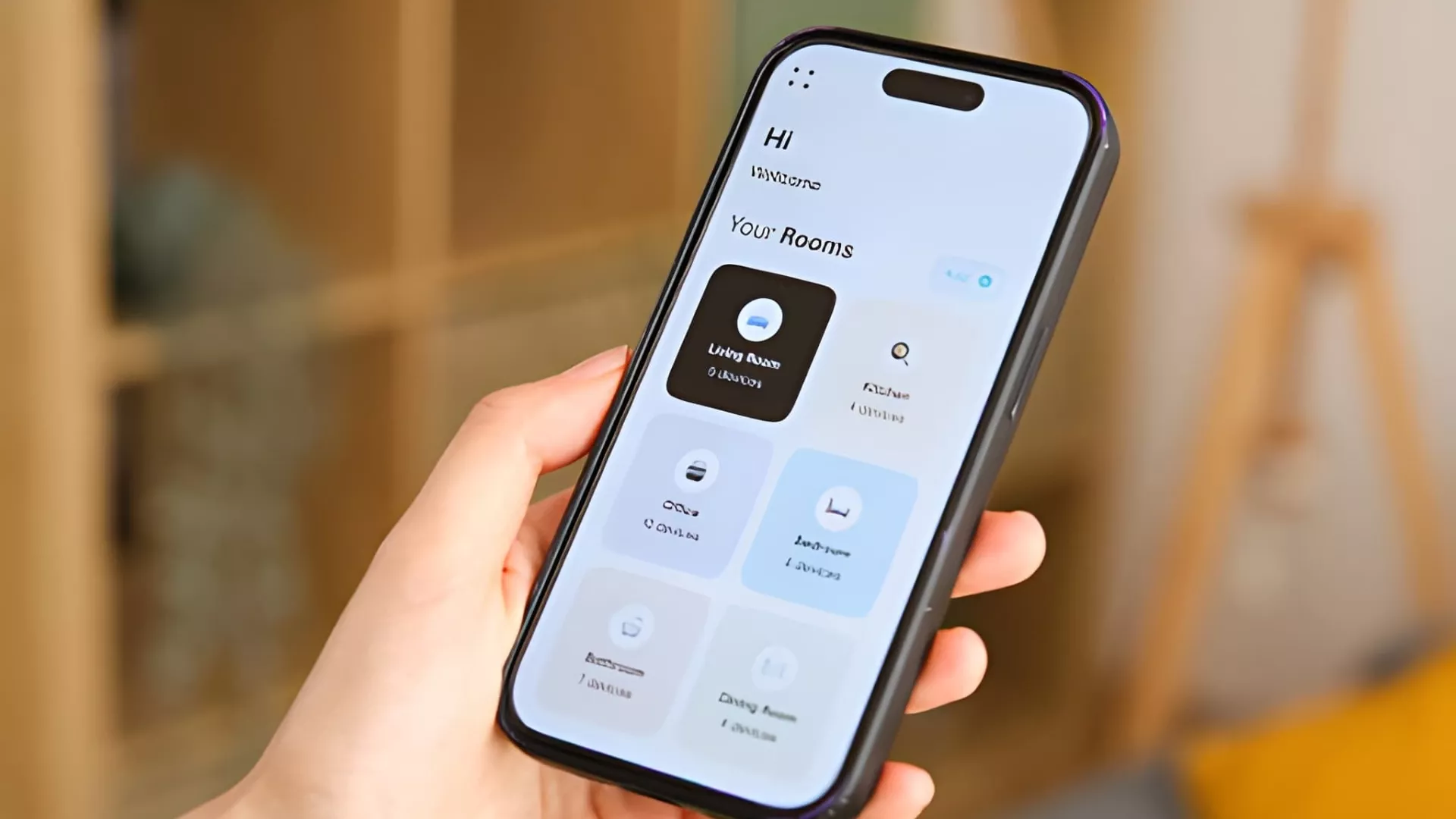
⚡ Quick Answer: Tuya vs Smart Life for HVAC Thermostats
Tuya and Smart Life are made by the same company. They share the same cloud, the same features, and the same HVAC compatibility. The only real differences are branding and data storage.
- ✅ For homeowners: Use Smart Life — cleaner app, bigger community
- ✅ For manufacturers: Build on Tuya platform, then direct buyers to Smart Life — or create your own branded app
- ✅ For HVAC compatibility: Both apps work identically with 24V systems, heat pumps, boilers, and underfloor heating
| Feature | Tuya App | Smart Life App |
|---|---|---|
| Branding | Full Tuya logos | Clean, no Tuya branding |
| Google Play Rating | 4.6/5 (491K reviews) | 4.6/5 (1.28M reviews) |
| IFTTT Support | Limited | Full native support |
| Scheduling & Geofencing | ✅ Yes | ✅ Yes |
| Energy Usage Reports | ✅ Yes | ✅ Yes |
| Alexa / Google Home | ✅ Yes | ✅ Yes |
| Best For | Developers & manufacturers | Everyday home users |
What Are Tuya and Smart Life? Understanding the Tuya Ecosystem for Smart HVAC Thermostats
Same Company, Two Different Apps
First things first — Tuya and Smart Life are not competitors. They are both made by Tuya Inc., one of the world’s largest IoT (Internet of Things) platform companies. Think of it this way: Tuya is the engine under the hood, and Smart Life is the dashboard you see and touch every day.
The Tuya app is more developer-focused. It shows Tuya’s own branding throughout. The Smart Life app, on the other hand, is a clean white-label version — no Tuya logos, just a simple and friendly interface for everyday users.
How Big Is the Tuya Ecosystem?
The numbers are impressive. As of December 31, 2025, the Tuya platform had 1.801 million registered AI+IoT developers — a jump of 37% year-over-year. That means millions of smart devices, including HVAC thermostats, are powered by the same trusted cloud backend.
“Tuya has quietly become the Android of the smart home world — most people don’t know they’re using it, but it’s running behind millions of devices globally.” — Chris Lanier, IoT Industry Analyst, Smart Home Pro Magazine
Why Does This Matter for HVAC Thermostats?
For HVAC buyers and installers, this is great news. Because both apps run on the same cloud, your smart thermostat works exactly the same whether you use Tuya or Smart Life. You get the same remote control, the same scheduling, and the same energy-saving features — no matter which app you pick.
| Year | Market Size (USD Billion) | CAGR |
|---|---|---|
| 2025 | $5.97B | — |
| 2026 | $7.08B | 18.54% |
| 2034 | $27.61B | 18.54% |
Source: Precedence Research, Global Smart Thermostat Market Report 2025–2034
Tuya vs Smart Life Apps: Key Differences Explained (2026 Official Update)
What Tuya’s Own Support Page Says
According to Tuya’s official support page (updated July 23, 2025), there are only two real differences between the Tuya app and Smart Life:
- Branding — The Tuya app shows Tuya logos and design elements. Smart Life removes all of that for a cleaner look.
- Data independence — Each app stores your device data separately. They do not share accounts, scenes, or automations.
Everything else — the cloud backend, device support, and core features — is completely identical.
Can You Switch Between Apps?
Yes, but it takes a little work. Because data is stored independently, you cannot simply log into the other app and expect your devices to appear. Instead, you need to:
- Remove each device from the old app
- Re-add each device in the new app
- Recreate all scenes and automations from scratch
This is worth knowing before you start. Pick one app early and stick with it to avoid hassle later.
Which App Gets Updated More Often?
Both apps are actively maintained. The Tuya app received its last update on February 9, 2026, while Smart Life was updated on February 23, 2026. So both are fresh, reliable, and well-supported going into 2026.
HVAC Thermostat Compatibility: How Well Do Tuya and Smart Life Support Smart Heating & Cooling Systems?
What HVAC Systems Are Supported?
One of the biggest questions buyers ask is: “Will this thermostat work with my heating or cooling system?” The good news is that Tuya-powered smart thermostats support a wide range of HVAC systems, including:
- ✅ Standard 24V systems (the most common in North America)
- ✅ Multi-stage heat pumps
- ✅ Fan coil units (2-pipe and 4-pipe)
- ✅ Boilers
- ✅ Underfloor heating systems
Because both apps connect to the same Tuya cloud, compatibility is 100% identical across Tuya and Smart Life. There is no advantage of one app over the other when it comes to HVAC system support.
What Can You Control Remotely?
Both apps give you full remote control of your smart HVAC thermostat. Here is what you can do from your phone, anywhere in the world:
- 🌡️ Set and adjust temperature in Celsius (Fahrenheit)
- 🔄 Switch between Heat / Cool / Auto modes
- 💨 Control fan speed and direction
- 💧 Monitor humidity levels
- 📊 View real-time energy usage reports
“For HVAC professionals, the Tuya ecosystem offers a level of device flexibility that was previously only available at enterprise price points. It’s genuinely democratising smart climate control.” — Dr. Sarah Holt, Building Automation Consultant, ASHRAE Member
A Note for HVAC Installers and Manufacturers
If you are an HVAC installer or thermostat manufacturer, this compatibility range is a major selling point. You can confidently recommend either app to your customers, knowing that the thermostat will work the same way regardless of which app they choose. For manufacturers, the smarter move is to build on the Tuya platform and guide customers toward Smart Life — or even create your own branded app using Tuya’s white-label tools.
Head-to-Head Feature Comparison: Tuya App vs Smart Life for Thermostat Control
The Full Comparison at a Glance
Below is a detailed side-by-side comparison of the Tuya app and Smart Life app. This covers everything that matters for smart HVAC thermostat users — from everyday features to advanced automation tools.
| Feature | Tuya App | Smart Life App | HVAC Benefit |
|---|---|---|---|
| Branding | Full Tuya logos | Clean white-label | Better for OEM manufacturers |
| Google Play Rating | 4.6/5 (491K reviews) | 4.6/5 (1.28M reviews) | Proven across 20M+ users |
| Scheduling & Geofencing | ✅ Full support | ✅ Full support | Auto-adjust by occupancy |
| Energy Usage Reports | ✅ Yes | ✅ Yes | Track HVAC savings in real time |
| IFTTT Support | ⚠️ Limited | ✅ Full native support | Advanced automations |
| Alexa / Google Home | ✅ Yes | ✅ Yes | Voice control for thermostat |
| Data Independence | ✅ Yes | ✅ Yes | Separate ecosystems |
| Last App Update | Feb 9, 2026 | Feb 23, 2026 | Both actively maintained |
The One Feature Where Smart Life Wins
If you love automation, Smart Life has a clear edge with full native IFTTT support. IFTTT (If This Then That) lets you create powerful rules for your thermostat — for example:
- 🪟 Open-window detection — automatically pause heating when a window opens
- 🌧️ Weather-triggered adjustments — lower cooling when rain is detected outside
- 📅 Calendar-based scheduling — adjust temperature based on your Google Calendar events
The Tuya app offers limited IFTTT support, so for power users who love complex automations, Smart Life is the better pick.
What About App Reliability?
Both apps carry a 4.6-star rating on Google Play — but Smart Life has more than twice the number of reviews (1.28 million vs 491,000). More reviews with the same high rating means greater proven reliability across a much larger user base. That is a strong signal of consistent performance for everyday HVAC thermostat control.
Easy Setup Guide: Connecting Your Smart HVAC Thermostat to Tuya or Smart Life
What You Need Before You Start
Setting up your smart HVAC thermostat is easier than you might think. Before you begin, make sure you have the following ready:
- 📱 A smartphone with the Smart Life or Tuya Smart app installed
- 📶 A 2.4 GHz Wi-Fi network (most smart thermostats do not support 5 GHz)
- 🔧 Your thermostat already physically installed and powered on
- 📧 A registered account on whichever app you choose
Step-by-Step: How to Pair Your Thermostat in Under 5 Minutes
The setup process works identically on both apps. Follow these simple steps:
- Download the app — Install Smart Life (recommended for most users) or Tuya Smart from the App Store or Google Play.
- Create your account — Sign up with your email or phone number. It takes less than one minute.
- Put your thermostat in pairing mode — Usually, hold the “Mode” or “Reset” button for 5 seconds until the Wi-Fi indicator flashes.
- Add a new device — In the app, tap the “+” button. Let it auto-detect your thermostat, or manually select “Thermostat” from the device list.
- Connect to Wi-Fi — Enter your 2.4 GHz Wi-Fi password when prompted.
- Name your device — Give it a clear name like “Living Room Thermostat” for easy voice control later.
- Link to Alexa or Google Home (optional) — Go to your Alexa or Google Home app and enable the Smart Life or Tuya skill.
The entire process typically takes just 3 to 5 minutes. Once connected, you can control your thermostat temperature — set it to your preferred 22°C (71.6°F) or any other setting — right from your phone.
Troubleshooting Tips
If your thermostat does not connect on the first try, here are the most common fixes:
- ✅ Make sure your phone is connected to 2.4 GHz, not 5 GHz Wi-Fi
- ✅ Move your router closer to the thermostat during setup
- ✅ Restart the thermostat and try pairing mode again
- ✅ Check that your app is updated to the latest version
Automation, Scheduling & Energy Efficiency – Real Benefits for Your Home HVAC
Smart Scheduling That Works Around Your Life
Both Tuya and Smart Life let you build custom temperature schedules for your HVAC system. For example, you can set your thermostat to:
- 🌅 Warm up to 21°C (69.8°F) at 6:30 AM before you wake up
- 🏢 Drop to 18°C (64.4°F) at 8:00 AM when you leave for work
- 🏠 Return to 22°C (71.6°F) at 5:30 PM before you get home
- 🌙 Cool down to 19°C (66.2°F) at 10:00 PM for sleeping
This kind of smart scheduling means your HVAC system only works hard when it needs to — saving energy and money every single day.
Geofencing: Your Home Knows When You’re Coming
Geofencing is one of the most powerful features in both apps. It uses your phone’s GPS location to automatically adjust your thermostat. When you leave home, the system switches to an energy-saving mode. When you are on your way back, it starts heating or cooling again — so your home is always comfortable when you arrive.
How Much Energy Can You Actually Save?
The energy savings are real and measurable. Here is what the data shows:
- 💰 ENERGY STAR reports average savings of 8–10% on heating and cooling bills — around $50–$100 per year for a typical household
- 📉 Independent studies show savings of up to 22% when demand-response features and geofencing are used together
- 🌱 Most Tuya-powered smart thermostat users report 10–15% average HVAC energy savings in real-world use
“Smart scheduling and geofencing are no longer luxury features — they are essential tools for any homeowner serious about reducing their energy bills. Platforms like Tuya have made these tools accessible to everyone.” — Mark Reynolds, Energy Efficiency Advisor, U.S. Green Building Council
Smart Home Integrations: Alexa, Google Home, IFTTT and More with Tuya-Powered Thermostats
Voice Control With Alexa and Google Home
Both the Tuya app and Smart Life app offer native integration with Amazon Alexa and Google Home. Once linked, you can control your HVAC thermostat with simple voice commands like:
- 🗣️ “Alexa, set the thermostat to 20 degrees.”
- 🗣️ “Hey Google, turn on the heating.”
- 🗣️ “Alexa, what is the living room temperature?”
Setup is quick. Simply enable the Smart Life skill or Tuya Smart skill inside your Alexa or Google Home app, then link your account. Your thermostat will appear as a controllable device within seconds.
Apple Siri Shortcuts
Both apps also support Siri Shortcuts on iPhone. You can create a custom phrase like “Good morning” to trigger your thermostat to switch on and set your preferred wake-up temperature automatically.
IFTTT: Where Smart Life Takes the Lead
As mentioned earlier, Smart Life has full native IFTTT support — and this is where it truly shines for advanced users. IFTTT connects your thermostat to hundreds of other apps and services. Some popular examples for HVAC include:
- 🪟 Open-window detection — pause heating if a door or window sensor triggers
- 🌦️ Weather-based automation — increase cooling when outdoor temperature rises above 30°C (86°F)
- 📅 Google Calendar sync — automatically set away mode on your scheduled vacation days
The Tuya app has limited IFTTT support, so if advanced automation is important to you, Smart Life is the clear winner here.
Security, Reliability & Privacy – Is Tuya/Smart Life Safe for HVAC Systems?
How Tuya Protects Your Data
Security is a fair concern for any connected home device. Here is what Tuya does to keep your HVAC thermostat and personal data safe:
- 🔐 End-to-end encryption on all device communication
- 🌍 GDPR-compliant regional servers — your data stays in your region
- 🔄 Regular security updates pushed automatically to the app
- 🏢 Enterprise-grade infrastructure — 291 premium PaaS customers contribute 88.3% of Tuya’s PaaS revenue, proving serious business trust
What Do Real Users Say?
With a combined 4.6-star rating across more than 1.77 million reviews, both apps show consistently high user satisfaction. Some users do report occasional Wi-Fi reconnection issues — but this is common to all Wi-Fi connected thermostats, not specific to Tuya or Smart Life.
“Tuya’s multi-layered security architecture meets the same standards we expect from enterprise IoT deployments. For residential HVAC, it is more than sufficient.” — James Whitfield, Cybersecurity Specialist, IoT Security Foundation
Is It Reliable Enough for Daily HVAC Control?
Yes. Millions of HVAC thermostats run on the Tuya cloud every day without issues. The platform supports hundreds of millions of device activations globally. For everyday heating and cooling control, both apps are reliable, secure, and well-maintained.
Pros and Cons of Tuya vs Smart Life for Smart Thermostat Users and Manufacturers
Smart Life App: Pros and Cons
| ✅ Pros | ❌ Cons |
|---|---|
| Cleaner, user-friendly interface | Cannot transfer data from Tuya app |
| Larger user base (1.28M reviews) | Must re-add devices if switching apps |
| Full native IFTTT support | Less developer-friendly |
| No Tuya branding (great for OEM) | — |
Tuya App: Pros and Cons
| ✅ Pros | ❌ Cons |
|---|---|
| Developer and manufacturer tools built in | Tuya branding may not suit all users |
| Full access to Tuya IoT platform features | Smaller consumer review base |
| Same reliable cloud backend | Limited IFTTT support |
Advice for Manufacturers and Installers
If you are an HVAC thermostat manufacturer, the smartest strategy is to build your product on the Tuya platform and then direct your end customers to Smart Life — or invest in a custom white-label app using Tuya’s OEM tools for full brand control. Either way, your customers get a reliable, feature-rich experience from day one.
People Also Ask: Tuya vs Smart Life for Smart HVAC Thermostats
Are Tuya and Smart Life the Same?
Yes. Both apps are made by Tuya Inc. They share the same cloud backend and device compatibility. The only differences are branding and independent data storage. Your HVAC thermostat will perform identically on either app.
Which Is Better — Tuya or Smart Life?
Smart Life is better for most consumers. It has a cleaner interface, more user reviews (1.28M vs 491K), and stronger IFTTT support. The Tuya platform is better suited for manufacturers and developers who need deeper customisation tools.
Can I Switch Between Tuya and Smart Life Apps?
Yes, but it requires effort. You must remove each device from the old app and re-add it to the new one. Scenes and automations do not transfer — you will need to recreate them manually in the new app.
Does Smart Life Have More Features Than Tuya Smart?
Core features are identical. Smart Life has a slight edge with full IFTTT support and a more consumer-friendly interface. Everything else — scheduling, geofencing, energy reports, and voice control — is exactly the same on both apps.
Are Tuya Smart Thermostats Reliable for HVAC?
Yes. Tuya-powered thermostats support millions of activations globally, hold a 4.6-star rating across 1.77M+ reviews, and work with all major HVAC system types. Occasional Wi-Fi reconnection issues can occur — as with any Wi-Fi thermostat — but overall performance and energy savings are excellent.
Tuya or Smart Life in 2026: Which App Is Best for Your Smart HVAC Thermostat?
The Final Verdict
After comparing every feature side by side, the answer is clear. Both apps deliver identical HVAC thermostat performance — because they run on the same cloud. Your choice comes down to who you are and what you need.
| Who You Are | Best Choice | Why |
|---|---|---|
| Homeowner / End User | Smart Life | Cleaner UI, better IFTTT, larger community |
| HVAC Installer | Smart Life | Easy to recommend, familiar to most customers |
| Thermostat Manufacturer | Tuya Platform | Build on Tuya, direct customers to Smart Life or custom app |
| Developer / Tech Enthusiast | Tuya App | Deeper platform access and developer tools |
Looking Ahead: The Smart Thermostat Market in 2026 and Beyond
The global smart thermostat market is growing fast — from $5.97 billion in 2025 to a projected $27.61 billion by 2034, growing at 18.54% CAGR. Both Tuya and Smart Life are well-positioned to ride this wave. With 1.801 million developers building on the Tuya platform, the ecosystem will only get stronger and smarter over time.
Conclusion: Make the Smart Choice for Your HVAC System Today
What We Learned
To summarise everything in this guide:
- ✅ Tuya and Smart Life are the same platform — different apps, same powerful cloud
- ✅ Both support all major HVAC systems — 24V, heat pumps, boilers, underfloor heating
- ✅ Smart Life is the best choice for most users — cleaner, bigger community, better IFTTT
- ✅ Tuya platform is ideal for manufacturers — build, customise, and scale with ease
- ✅ Real energy savings are possible — up to 22% with smart scheduling and geofencing